On Time Support
On Time Support, Inc.
25132 Oakhurst,Ste. 185
Spring, Tx 77386
281-296-6066
inquiries@ontimesupport.com
support@ontimesupport.com
jobs@ontimesupport.com
Main Menu
indent  Software Solutions
indent  Hardware Solutions
indent  On-Site Services
indent  Data Sheets
indent  Application Notes
indent  Downloads
indent  Technical Help
indent  OTS News
indent  Contact Us
indent  FAQs
indent  Training and Installation
indent  Site Map
indent  Customer Comments
indent  Join the METLIST!
indent  Metrology Xplorer Online Demo
indent  Webinar Presentations
indent  Product Videos

NEW E-Mail Notification Released Feb 2, 2012
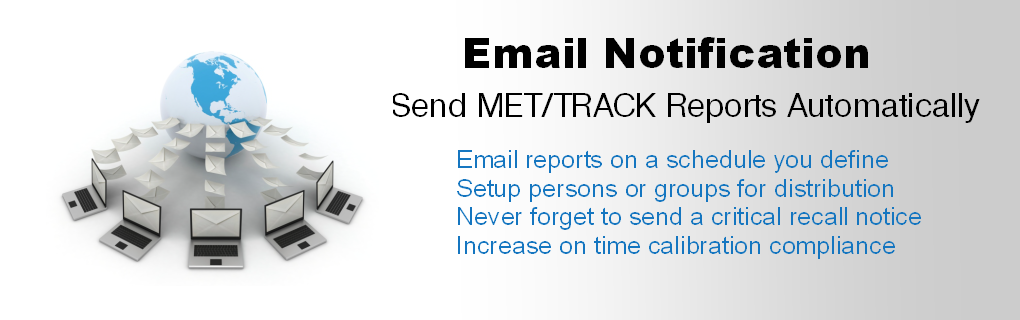
We receive many questions about adding E-Mail capability to MET/CAL. The NEW VERSION is released and it has many new capabilities. Its an easy upgrade on the server and the client administration program uses the web browser, meaning no client install. Email Notification is a product from On Time Support which allows you to schedule the delivery of Email to your customers or other personnel. For more information check out the Web Page or download the Data Sheet.

NEW OTS Videos
On Time Support has released two videos. If you have ever had questions about how Barcode Magician works, or, the differences between Metrology Xplorer 1 and 2 Click here

Remote Pipeline 1.2.0 Update
Remote Pipeline version 1.2.0 is now available for download. RP is now faster with added optimization. Now compatible with MET/BASE version 7.3.
Download this update here

Log In
Username

Password


Brother Label Printer Alert!
Recently, one of the recent Microsoft security updates was identified by OTS as causing certain Brother Label Printers to generate an error message during the print process. We have created a technical note that describes the problem. Click Here for the technical note.

FAST/TRACK Support Plan
The FAST/TRACK Support Plan from On Time Support is now available. Plan features include software product upgrades, training discounts, and on site discounts. For more information Click here for the Data Sheet in PDF format.

New Metrology Xplorer 1 and E-Mail Notification Package
We have put together a package (part # 8110-PKG) that includes Metrology Xplorer 1 and E-Mail Notification. There is a new application note that describes the process for linking screens from Metrology Xplorer 1 to our Automated E-Mail package. This package saves 15% over purchasing individually. Click here to download the application note.

Barcode Magician® 1.7  Basic/Plus Overview


(For MET/CAL and MET/TRACK version 7.1 and Higher Only)

On Time Support is pleased to announce the release of two Barcode Magician software products, Barcode Magician 1.7 Basic (BCM Basic) and Barcode Magician 1.7 Plus (BCM Plus). Barcode Magician has been a very successful software product for On Time Support. The previous release (version 1.6) was especially successful. We listened to you, the customer, and have implemented many new customer suggestions in the new release.

What is Barcode Magician Basic?


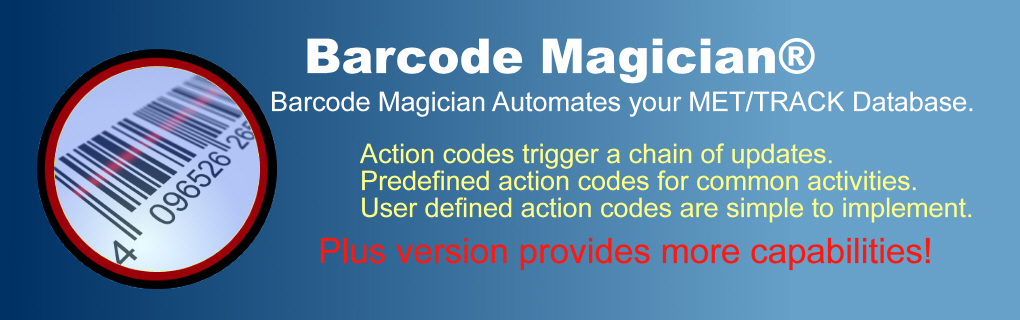
BCM Basic is a product from On Time Support Inc., which allows you to automate repetitive database entry tasks such as checking in/out equipment, or changing equipment status simply and consistently for quantities of assets using a simple barcode tool or keyboard.


BCM Basic provides a simple, easy to use interface that allows your calibration technicians and instrument custodians a way to update your Fluke MET/CAL database (version 7.1 and Higher only) quickly and efficiently while at the same time drastically reducing data entry errors and substantially increasing productivity. By using a barcode scanner in conjunction with this software, you can automate such tasks as:
  • Checking in/out equipment from a tool crib or instrument impound area.
  • Updating in-process status descriptors. 
  • Changing location and association of assets. 
  • Accepting instrumentation for repair work.
  • Virtually any database function except for adding inventory records, calibration records and repair records.

BCM works by making changes to instruments data within the MET/CAL database. For example, to automate a task such as checking an instrument out to a customer, you simply instruct BCM how to represent a checked-out instrument in the database, and then you can use this instruction against a list of instruments.


"..reducing data entry errors and substantially increasing productivity."

This single check-out instruction can be represented with a barcode label, affixed to the computer, and then the operator would simply scan (or type) this label into BCM, along with a list of instruments to update each record. This list of instructions is referred to as an Action Code within BCM Basic.  Action Codes are easy to define and configure especially with the new Action Code Editor. 

What is Barcode Magician Plus?

Barcode Magician Plus adds that extra capability that customers have requested:

Added Pre-Defined Functions to insert the following:
  • Calibration record with options to include Standards Used and the New Full Cal Results
  • Maintenance record
  • Location record
  • Alternate Field lookup feature
  • Abeyance Cal Due Date Calculation when entering a cal record
  • selection of a single asset number that represents several assets, such as a kit.
  • Display Instrument Images as instruments are scanned in.
  • Ability to use different Met/Track desktops
  • Comment field of your choice into any major table


  • The above functions are interactively entered per asset to allow processing different categories of instruments in the same transaction. You can process one asset at a time or a batch. The new record forms include all the unsuppressed fields and look and function very similar to MET/TRACK 7.1+. Only required fields need to be entered. Includes copy forwards, defaults, validated lists, pick lists, linked validated lists and calculated Due Date. Here are some more features:

  • New Instruments can be added while executing an Action Code. Each Action Code can be configured to allow/not allow new instruments.
  • Added more System Variables for SQL statements and abbreviated all the long system variable names to allow shorter SQL statements to be executed. e.g. '$DIALOG_BOX25$' can be shortened to '$BOX25$'.
  • Pick list on Users profile (profile up to 12 fields) (Basic and Plus).
  • This product allows manually entering CAL Results into the Full Results table.
  • Enhanced speed when operating on a WAN (long distance).
  • There are two work order formats; one work order per instrument or one work order per batch of instruments.
  • And of course, none of the previous features in version 1.6 have been disabled.
  • BCM Plus allows up to 25 Dialog Boxes.
  • BCM Plus will allow a docking scanner to gather a list of assets and place them in an ascii file to be accessed by any action code as long as this file is placed on a BCM station and the command line identifies this filename and path.
  • Custom Phrase File allowing the edit of all the labels and captions.  These phrases can also be translated into other languages.
  • Action Code CLONE function in the Action Code Editor.
  • Regional Localization for date formats and number formats. Our European customers had requested this.

Batch Calibration Feature (BCM Plus)


You can create calibration records quickly with the System Variable $INSERTCALRECORD$ and Custom Mod Variable @STDSUSED, that do not use up dialog boxes and allows entering an unlimited number of standards used per transaction. The prompt will occur right after the Dialog box prompts. Great for creating calibration records without the actual measurement results. One of the most requested functions has been batch calibration. Many labs calibrate several of the same type of instrument at the same time, for example thread gages. Another example is the calibration of radiation dosimeters that do not require actual instrument data, just Pass/Fail. Or, the lab manager may want to enter calibration records for instruments that were calibrated by an outside lab. This method will allow these instruments to be processed in a fraction of the time that it would normally take.


We added a new feature for creating repair records quickly with the new System Variable $INSERTREPRECORD$. Great for creating repair records quickly for a group of instruments. This method will allow these instruments to be processed in a fraction of the time that it would normally take.


The ability to call SQL Stored Procedures within Barcode Magician opens up many possibilities in how the program operates. This is a very powerful feature that can add flexibility and throughput. Always remember to backup your database prior to implementing/developing an SQL statement through Barcode Magician. If you think that using an SQL call is necessary for your system, then contact On Time Support. The experts at On Time Support are available to create a custom stored procedure call for your system for a nominal fee. Give us a call for pricing.

Another feature of Barcode Magician is the ability to modify the messages and captions in the screens. This also means that Barcode Magician can be translated into different languages. As language translations become available, we will post new translation files on our web site.


Real-time updates

Every transaction updates the MET/CAL database in real-time, so that you can define criteria to prevent transactions from occurring for certain instruments, such as instruments that are overdue for calibration, or have a particular status code. Criteria checks can enhance the integrity of your lab management system by defining orderly processes that must be completed before an instrument has a particular function performed on it, (i.e., preventing overdue instrumentation from being loaned).


At the end of each transaction, the operator can be presented with an option to print a report (up to 7 reports of your design in Barcode Magician Plus per Action Code): Packing Lists, Calibration Certificates, Instrument followers, or Routing Slips, Transaction confirmations, or List of equipment currently checked out. Reports specially designed for BCM may take only a few seconds to execute while the same report running under MET/CAL may take several minutes.  With version 1.7 you assign the report(s) in the specific Action Code rather than by each Workstation. (Upto 4 in Basic and 7 in Plus)


With BCM, you can place a terminal at a common point for instrument transaction such as a tool counter or lab window.   With its simple operation using a barcode reader, you can allow customers to check in equipment for calibration and check it out when it is finished.  On Time Support has barcode readers available to support your requirements.

Enhance System Integrity

You can also set up terminals (kiosk) in different areas for location updates, such as equipment transfers between projects or technicians. By using Barcode Magician you can enhance the integrity of your system without making it cumbersome. Location updates can even be performed by personnel that are not familiar with MET/CAL operation, while still updating the database in a consistent manner. The BCM user interface was designed with the non-MET/CAL user in mind, allowing for easy operation. When combined with a barcode reader, BCM becomes an efficient data entry tool for MET/CAL.


In summary, BCM allows you to make real-time changes to your MET/CAL database for both small and large quantities of instruments, in a fast, consistent manner that allows even inexperienced users to increase productivity. The ease of data entry gained by using BCM allows users to process more instrumentation faster, allows customers to make structured updates to the database, and frees you from making manual status and location updates for these instruments. With the simplification of data entry gained by using Barcode Magician, you easily add more traceability information to your MET/BASE system, without adding burden to your users.


With new rules relating to ISO9000 and ISO17025 the need to keep track of where instruments were used in case of an instrument failure, BCM can really assist and help the busy Lab Manager keep location information on individual instruments.


How the Licensing Works

With the two versions, we have two licensing programs (BASIC and PLUS). If you have Version 1.6, you can order an upgrade for your Basic and Plus licenses, but you must upgrade all the stations. You cannot mix version 1.6 and 1.7 stations. The Work Station Configuration program is used to configure a station to use BCM Basic or BCM Plus.

Free Demo

You can also request a Barcode Magician demo, but you must have MET/TRACK 7.1 and higher. If you decide you want to test Barcode Magician, contact us by E-Mail or Phone and we will supply you with a 30 day demo code and the system is fully functional You will either need to download the files from our download section, or we can send you a CD. You will be very surprised at the performance. You can also download and view the system manual in PDF format.


Updating Existing Barcode Magician Version 1.5 and 1.6 Systems

For existing Barcode Magician Version 1.5 and 1.6 Systems, an upgrade is available. You must run the license registration report and fax this to On Time Support.

Download this report.

If you have any questions, please give OTS a call.


Ordering Information

BCM 1.7 Basic Part Number if ordering from OTS: 5037-BASIC

BCM 1.7 Plus Part Number if ordering from OTS: 5037-PLUS

BCM 1.7 Plus upgrade from BCM versions 1.5 or 1.6: 5037-UPG-PLUS

BCM 1.7 Basic upgrade from BCM versions 1.5 or 1.6: 5037-UPG-BASIC

(must have license report faxed to OTS)

Important Note: Remember that all BCM stations must be upgraded to the same version, for example 1.7. You can mix 1.7 Basic stations and 1.7 Plus stations on the same system You CANNOT mix BCM 1.7 licenses with previous versions of Barcode Magician.


Get the Package Deal!


On Time Support has a variety of package deals that include the Laser Scanner and Label Printer with a Barcode Magician License. You can $ave dollars with the package deal.

BCM 1.7 Basic with a Laser Wedge Scanner and
Label Printer: 8007-1

BCM 1.7 Basic with a Laser Wedge Scanner and
Network Label Printer: 8007-1-NET

BCM 1.7 Basic with a Laser USB Scanner and
Label Printer: 8007-2

BCM 1.7 Basic with a Laser USB Scanner and
Network Label Printer: 8007-2-NET

BCM 1.7 Basic with a Laser Wedge RF Scanner and
Label Printer: 8007-3

BCM 1.7 Plus with a Laser Wedge Scanner and
Label Printer: 8007-1-Plus

BCM 1.7 Plus with a Laser Wedge Scanner and
Network Label Printer: 8007-1-Plus-NET

BCM 1.7 Plus with a Laser USB Scanner and
Label Printer: 8007-2-Plus

BCM 1.7 Plus with a Laser USB Scanner and
Network Label Printer: 8007-2-Plus-NET

BCM 1.7 Plus with a Laser Wedge RF Scanner and
Label Printer: 8007-3-Plus

Be sure to specify the version of Barcode Magician.

For Pricing & Delivery Contact: On Time Support Inc or your Fluke Representative.


Recent Web Site Updates
Here is a list of recent web site updates:

* (2012-02-10) New Metrology Xplorer Data Sheet
* (2012-02-02) New Email Notification Web Page
* (2012-02-02) New Email Notification Data Sheet
* (2012-02-01) Barcode Magician App Note on Data Sheet
* (2012-01-31) Using SQL to create Certificate Numbers Web Page

NEW!! Barcode Magician 1.7.1
Barcode Magician version 1.7.1 (Basic and Plus) is now available. This version is for MET/BASE version 7.1x,7.2x AND 7.3 only. Includes Crystal 10 Reports compatibility.

This new Version of Barcode Magician has many new features.

For more information Click here for the Data Sheet in PDF format.

Check out the Webinar schedule here

The Program Installation files are here

New Barcode Magician licenses are required.

NEW! Metrology Xplorer 2
Metrology Xplorer 2 (METEX2) is released and orders are now being accepted. Demos are now available. We have created the Metrology Xplorer Series which includes METEX1 and METEX2. METEX2 utilizes a new level of web technology for accessing/updating your MET/TRACK database. Click here for the Metrology Xplorer Series page. Also, check out the updated FAQ's.

Software Leasing
If On Time Support had a program to provide software leasing for our software products, would your company be interested? Sometimes it is easier for a company to lease vs purchase.
Yes
No


[View Result]

Votes: 18

New Network Label Printer is here!
Take a look at our new Label Printer. Click here for more information.

What's Related
These may also interest you:
FAQ

Document Manager

PageMaster


SQL Training Available On Site
The SQL training class for MET/TRACK and OTS products is available. Click here for more details.

Fluke Released MET/CAL/TRACK 7.3 SP1 - UPDATED July 5, 2011
UPDATED July 5, 2011. Fluke has recently released a new version of their Metrology Software, version 7.3, SP1. You may currently be using On Time Support products and Label Printers. Most OTS products are now compatible with the new Fluke 7.3 release. Some of these products will require an upgrade in order to support some of the new operating systems and functionality. If you have any questions, please contact OTS and we will help. For more information Click here for the proposed schedule. We will update the schedule as our products are released.

Brother Label Cartridges - In Stock!
Do you use the Brother 9200 or 9500 series Label Printers? We have several Label Cartridges in stock including some that are difficult to find and our prices are very competitive. Click here for the Data Sheet in PDF format.