On Time Support
On Time Support, Inc.
25132 Oakhurst,Ste. 185
Spring, Tx 77386
281-296-6066
inquiries@ontimesupport.com
support@ontimesupport.com
Main Menu
indent  Software Solutions
indent  Hardware Solutions
indent  On-Site Services
indent  Data Sheets
indent  Application Notes
indent  Downloads
indent  Technical Help
indent  OTS News
indent  Contact Us
indent  FAQs
indent  Training and Installation
indent  Site Map
indent  Customer Comments
indent  Join the METLIST!
indent  Metrology Xplorer Online Demo
indent  Webinar Presentations

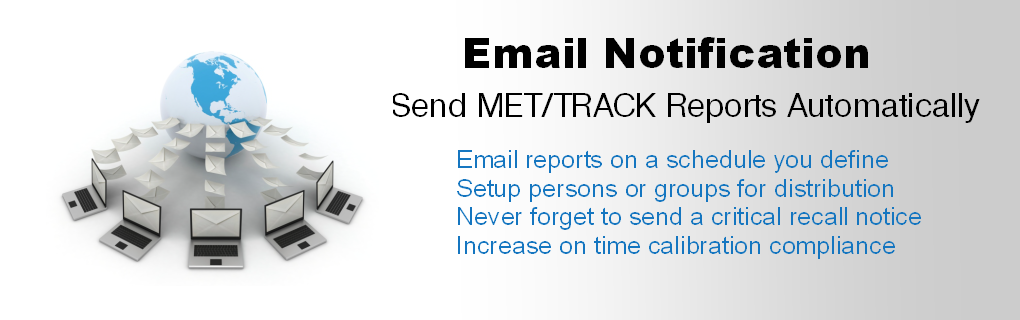
E-Mail Notification
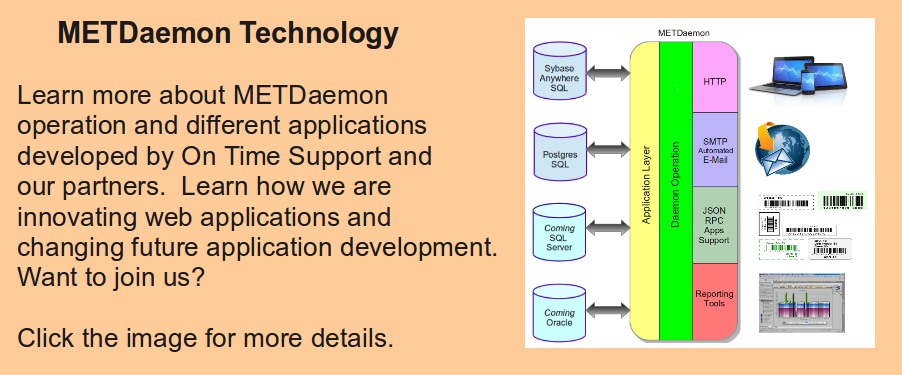
We receive many questions about adding E-Mail capability to MET/CAL. Well its here! Based on our METDaemon Technology, Email Notification is easy to install and setup. EMail Notification is a product from On Time Support which allows you to schedule the delivery of EMail to your customers or other personnel. Messages may include notifications of various metrology activities.... more

Remote Pipeline 1.1.7 Update
Remote Pipeline version 1.1.7 is now available for download. RP is now faster with added optimization. Now compatible with MET/BASE version 7.2.
Download this update here

Log In
Username

Password


Search PageMaster


Web Seminars
On Time Support periodically hosts Web Seminars on a variety of topics involving OTS software. These presentations show live examples and typically last only 30 minutes. Click Here for the schedule.

FAST/TRACK Support Plan
The FAST/TRACK Support Plan from On Time Support is now available. Plan features include software product upgrades, training discounts, and on site discounts. For more information Click here for the Data Sheet in PDF format.

New Metrology Xplorer 1 and E-Mail Notification Package
We have put together a package (part # 8110-PKG) that includes Metrology Xplorer 1 and E-Mail Notification. There is a new application note that describes the process for linking screens from Metrology Xplorer 1 to our Automated E-Mail package. This package saves 15% over purchasing individually. Click here to download the application note.

Metrology Xplorer® Series Demo Page 


Welcome to the Metrology Xplorer Demonstration!
Please Read Carefully
(You might want to print this page)

There are two Demonstrations available here.

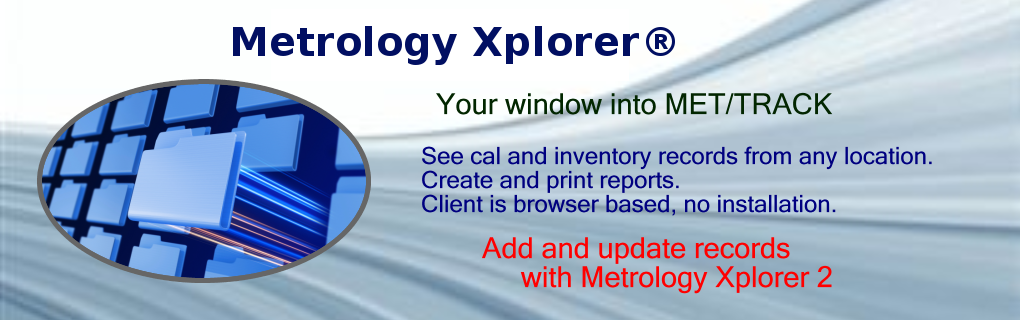
Metrology Xplorer 1 will allow you to view data and run reports. When you go to the demo there are two options, Reports and Search the Database. Our demonstration database has about 1000 assets and most of them have overdue items. However, there are calibration, location, and repair records to look at.

If you decide to search the database, try searching by typing in 87 into the Model field and click the submit button. Metrology Xplorer will present you with a list of links or "TreeView" and these links will be associated to the appropriate type of record. Also try assets starting with Sample by typing in SAMPLE? in the asset search. Asset SAMPLE-VM2616 has actual results data, about 1000 tests. Try it out.

Metrology Xplorer 2 will allow you to Add and Edit data. It works just like MET/TRACK does. You must log into Metrology Xplorer 2:

Database: METBASE
Log In: fluke
Password: fluke

In METEX2 if you decide to search the database, the wildcard characters to search are % and ?. They work the same way.

Try this, make a change using METEX2 and then go look at that change using METEX1. Both applications are running on the same database.

Remember, you can make changes to the databases, but they will be removed each night at 11PM Central time. We reset the database to a known copy. If you have any problems or questions about our demonstrations, please Contact Us and we will be happy to help.

Note: If you demo Metrology Xplorer 2, we recommend that you use the Firefox or Internet Explorer 7 web browsers. Internet Explorer 6 is very slow. Firefox and Internet Explorer 7 are about 8-10 times faster than IE6. IE7 is only available for Windows XP, not Windows 2000. Windows 2000 will need to use Firefox. Metrology Xplorer 2 utilizes some complex objects and will not run at the same speed as Metrology Xplorer 1. However, the technology will surprise you. Let us know what you think.

One other thing: We have provided the common Fluke password for everyone to use. You should know that METEX2 has the additional capability to display a local desktop. So, if you change the settings, then someone using the "fluke" login may change them again. In the real world, each user login has their own customizable local settings.

Here are the links:

Metrology Xplorer 1 Demonstration


Metrology Xplorer 2 Demonstration


If you have problems or cannot see the demo database with METEX1 or METEX2, its probably an issue with your IT department. METEX2 utilizes secure port 443 and METEX1 utilizes port 80(standard http port). Some IT departments will block non-standard ports.


NEW!! Barcode Magician 1.7
Barcode Magician version 1.7 (Basic and Plus) is now available. This version is for MET/BASE version 7.1x and 7.2x only. Includes Crystal 10 Reports compatibility.

This new Version of Barcode Magician has many new features.

For more information Click here for the Data Sheet in PDF format.

Check out the Webinar schedule here

The Program Installation files are here

New Barcode Magician licenses are required.

NEW! Metrology Xplorer 2
Metrology Xplorer 2 (METEX2) is released and orders are now being accepted. Demos are now available. We have created the Metrology Xplorer Series which includes METEX1 and METEX2. METEX2 utilizes a new level of web technology for accessing/updating your MET/TRACK database. Click here for the Metrology Xplorer Series page. Also, check out the updated FAQ's.

New Network Label Printer is here!
Take a look at our new Label Printer. Click here for more information.

SQL Training Available On Site
The SQL training class for MET/TRACK and OTS products is available. Click here for more details.

Brother Label Cartridges - In Stock!
Do you use the Brother 9200 or 9500 series Label Printers? We have several Label Cartridges in stock including some that are difficult to find and our prices are very competitive. Click here for the Data Sheet in PDF format.